Introduction
So why build this site at all? Well, fundamentally speaking, I paid for the domain when I changed my name so that I could realign my email address with my new surname so I may as well make use of owning the domain by parking something on it. That being said, I have absolutely no desire whatsoever to start trying to use my landing page to hawk myself out as some “visionary tech leader” or other shite like that, my site was never going to be an advertising mouthpiece for a “personal brand”.
So, the natural thing to do, it seemed to me anyway, was to stick a relatively unassuming, tasteful landing page linking to my CV, LinkedIn, and GitHub, and call it a day in about twenty minutes. If people came looking for it, they’d find it, but most likely it would just sit there ever so slightly improving my email delivery rate, sounds like a win win.
You Know What Would Be Cool?
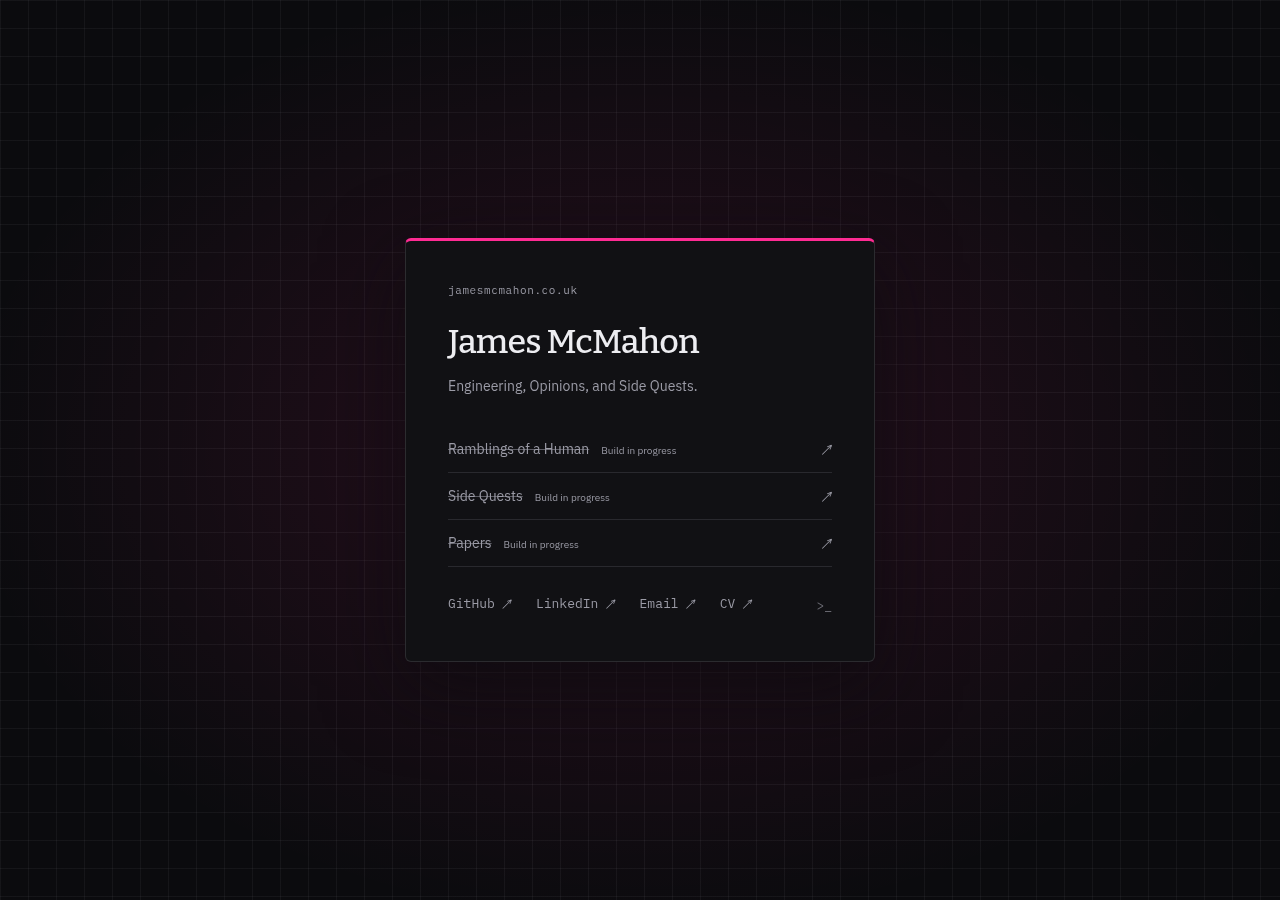
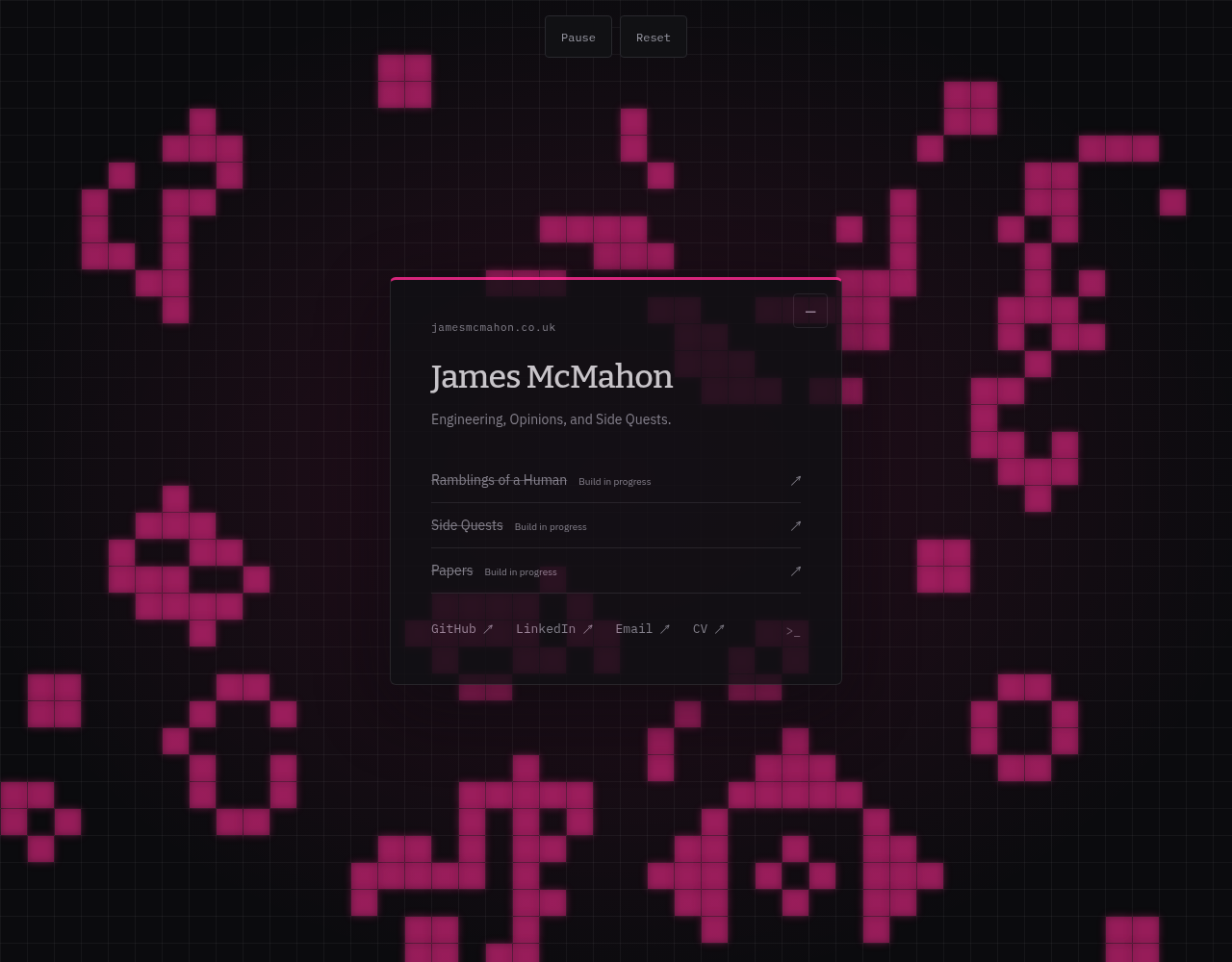
I actually accomplished this original goal pretty quickly, single card in the middle of the page, nice subtle grid background, pick a nice font, job done. Deliberately no headshot, no bio, no mention of my position, just “this is me, here’s my stuff”. I really should’ve just called it a day there, mission accomplished, unfortunately, I had nothing else to do that evening, and you know what would be cool? What if my background grid was an easter egg and could run Conway’s Game of Life?
“You know what would be cool”, the most dangerous phrase in the English language to ever be uttered by an engineer, there goes all of your free time for the next while.
Game of Life
I started thinking about ways to do it and I landed on just replacing the grid with a canvas and running the sim in TS when one of the common GoL shapes was first detected. It worked nicely, but the problem was it was trivial to see exactly what was there, not much of an easter egg at all really.
So the question then became, “alright, we haven’t got a backend for this, how do we hide what’s happening from the user to make it a bit less obvious besides just minifying the TS”. You know what would be pretty cool? Running it in a Rust to WASM project.
You All Knew Rust Would Be Here Somewhere
So yeah, I built the GoL engine in Rust, compiled it to WASM, and made sure that it all dynamically loaded only when one of the initial patterns was entered to make sure the initial page load remained fast. Sure, you could still work out what was going on if you inspected the HTML on page load, but you at least had to work for it now, you got hints and a trail of bread crumbs to follow, not just the answer as soon as you opened the inspector.
If you ask me, it’s also just pretty cool we can compile Rust and run it in a browser now too.
The Slippery Slope
Linux because of Course
The real issues now began, I now understood why the Easter Bunny has a chronic addiction for hiding eggs that he just can’t stop… I also understood that another of similar nerdiness would not suffice, I had to go nerdier. You know what would be cool? If we could run an entire Linux terminal in the browser, not an emulated one, a real one.
Alright then, should be straightforward, we just compile a Linux kernel into WASM and… Oh wait no, we can’t be doing that, we’d absolutely murder our visitors’ data caps and RAM for the sake of a gag. That being said, Linux can always be tiny if you pick a brutal enough configuration. Okay, okay, I don’t have that much free time. It seems like tombl does though, for the sake of an easter egg, I’ll happily requisition that.
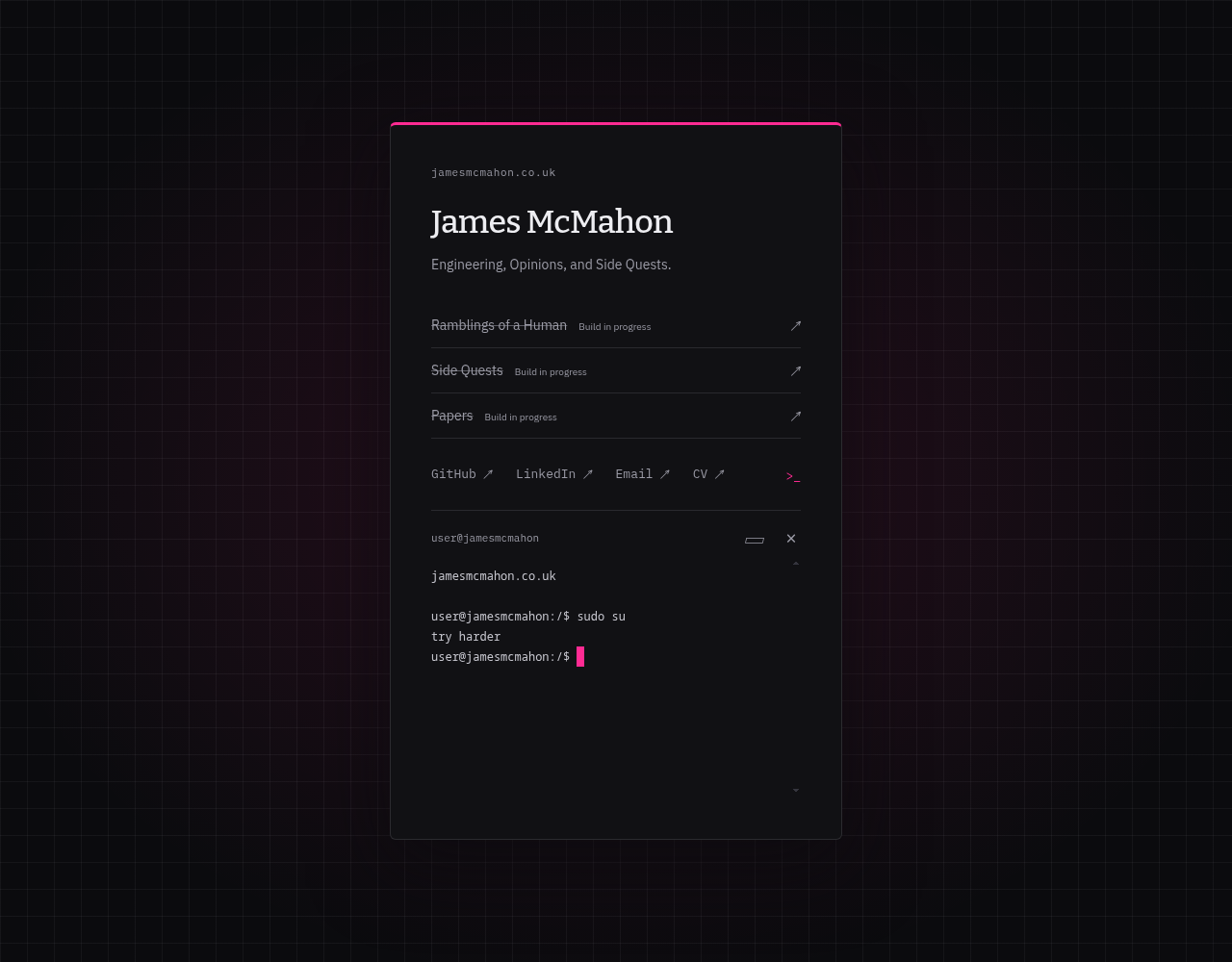
With a bit of extra TypeScript to sort out dynamic loading, and dealing with some layout issues on mobile, I soon had a pretty serviceable looking terminal quietly sitting there on the card ready to be opened. Great, I could let people think that I’d been reckless enough to leave a shell to my (non-existent) backend server on, must’ve been there for a debug build or behind an auth flag that I’d set wrong. So, if there were any miscreants, we could mess with them just a little bit?
sudo su instructs the visitor to “try harder”, and light-mode informs them that “Permission [has been] denied” because, as we all know, light attracts bugs.
Well, I’ve got a terminal now, what else could we do?
Star Wars
What command in nerd history is more iconic than telnet towel.blinkenlights.nl. I remember when I was about 10 years old basking in its ASCII glory for the first time on a school computer that inexplicably let me run telnet and connect to arbitrary servers. Well, we’ve got a full Linux system here, could we set up telnet so that would work?
Unfortunately not, the gods of the browsers have decided that letting a WASM application send packets to any old port is probably somewhat of a security risk. I think they’re just boring, but who am I to set standards on global cybersecurity. Fortunately, however, all was not lost! One quick email to Simon Jansen (the asciimator supreme), and he gave me his blessing to just lift a recording of the animation and play it back in my own asciimation viewer as a static site asset when someone ran the correct telnet command.
More Rust and More Linux
See, I’d gone to all of the trouble of setting up a Rust toolchain and integrating it into my site for a few tens of lines of code to power Conway’s Game of Life, surely we could do more?
Well, here’s where I decided to double down on the bullshit. You know what would be cool? What if we could control the GoL simulation from inside the Linux userland.
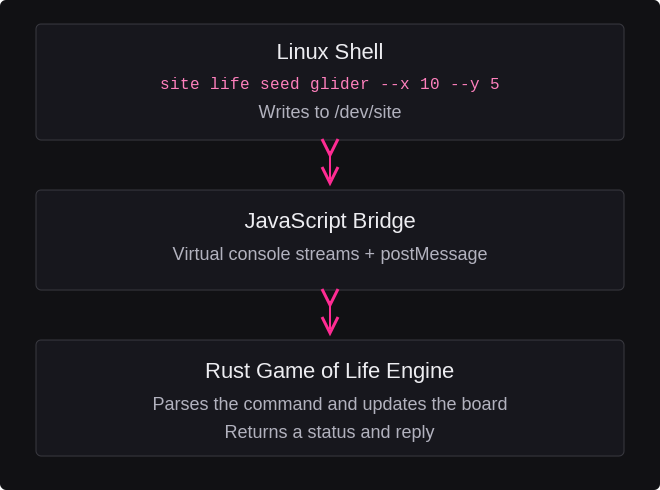
How in the hells would one even do that? I suppose I could do some JavaScript interception on what’s typed into the terminal, but really what’s the fun in that? It would almost fundamentally undermine the point of having the real Linux system there to use. Then it struck me… it’s a real Linux system, we can use virtual devices. So I wired up a virtual console device and a quick script, now site life seed glider --x 10 --y 5 results in a message being written to that virtual device, picked up by JavaScript’s messaging, and passed directly into the WASM game of life application.
Now we’re getting really silly.
But Does It Run Doom?
Yes I know, how horribly predictable, we’ve decided to run some absolutely cursed software stack in some completely unreasonable fashion but we all know it doesn’t count if you can’t get Doom to run on it, so we need to fix that.
The obvious thing to do would’ve been to have had our terminal launch some JavaScript version of Doom through our control device, but you know what would be cooler? Actual Doom running on the actual Linux kernel and somehow hooking that up to a real renderer.
Getting Doom Running
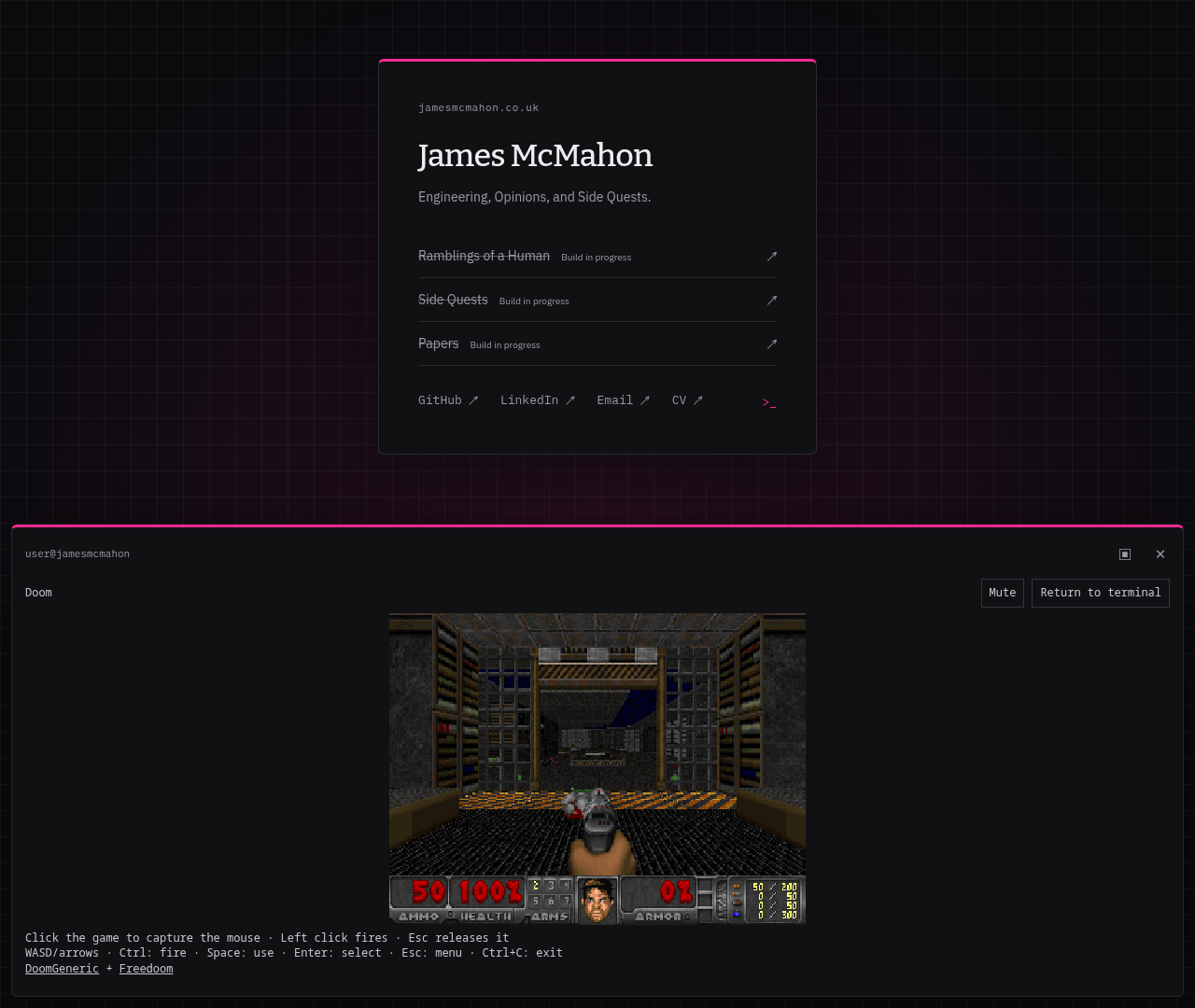
This was actually quite straightforward, we’ve got a proper Linux system here, we can just grab DoomGeneric and Freedoom, compile the engine with a WASM-compatible version of musl and it just runs as a standard userspace app making the appropriate Linux syscalls. Package that in a separate filesystem, link a bit of JavaScript through our virtual device to load it in when someone runs doom, bish bash bosh, it runs Doom.
Actually Rendering the Output
Not much of a game if you can’t see it though. Just because a game is compiled and the process starts doesn’t really mean it’s “running” in any useful sense. Well the only logical solution to this was to work out how to hook our Linux up in such a way that a canvas can render its video output, and do so fast.
Well, Doom runs at 320x200, that’s a lot of data to throw through a character device (yeah I tried that first and got slideshow Doom). You know what is designed to easily carry that amount of data though, a block device. So yeah, Doom renders the frames, these then get converted to RGBA, and the frame gets shoved out of /dev/vda. JavaScript then implements that virtual block device using a shared memory buffer.
The last piece of the puzzle was rather more simple, send a frame ready signal over our existing control device to let the TS know a frame is ready, it can then copy the pixels onto a canvas at the next browser refresh. Amazingly, that worked pretty well. To get input working, we just translate browser inputs into signals sent over our control device, which our C hooks translate into Doom input events.
Time to RIP AND TEAR!
I’m Not Missing Out on That Soundtrack
The soundtrack of Doom is iconic. It caused mums all across America to collectively lose their shit when it first came out, and it just unapologetically slaps. So the next thing I had to do was create a virtual sound card. Just kidding, it was getting late and even I have limits to the levels of human effort I’m willing to waste on a joke maybe three people will ever see.
The final solution was somewhat simpler, but no less ridiculous, Doom expects what essentially amounts to a MIDI synthesiser, providing sequences of notes, instruments, and sound effects. So, using our C hooks again, I decided to just stick yet another command through our command device. That way, I could convert the tracks from MIDI to OGG at build time, and have the TS actually play them on command on the browser side, far more sensible than constantly piping sound from Linux through to the TS sound stack.
Wait, Why Does It Keep Crashing?
Well, it ran Doom on my desktop, which obviously meant it was finished and would work everywhere. Firefox on Android had other ideas. Sometimes the Linux guest would fall over during startup, sometimes during play, which is somewhat inconvenient when the entire point of the exercise is to play Doom. Fine, let’s find out which bit of my perfectly cromulent Doom execution stack was unreasonably refusing to cooperate.
As it turned out, the crash was coming from the WASM kernel’s scheduler. When a task gives up its virtual CPU, its worker goes to sleep waiting to be assigned one again. The existing code assumed that if the wait returned, another worker must have handed it a CPU, so it could carry on. Unfortunately, waking up doesn’t actually guarantee that the thing you were waiting for has happened. The worker could wake with no CPU assigned, hit a kernel assertion, and take our tiny Linux system down with it. Brilliant, my personal website now needs kernel debugging.
Unfortunately, there was already an upstream fix for this, so I begrudgingly adopted that rather than taking up Linux scheduler development as yet another way to avoid going to bed. The fix is pretty straightforward to describe, wake up, check whether you’ve actually been given a CPU, and go back to waiting if you haven’t. Of course, applying it meant I could no longer just ship the existing kernel binary. Remember when I decided compiling a Linux kernel was too much effort for a joke? Yeah, the site build does that now, using pinned source and the scheduler patch.
No more crashing, I could get back to slaughtering demons.
Is That It?
See, here’s the thing, despite what everything about this whole episode says about me, I do actually have a day job. I also do, unfortunately, need to get some sleep to function, as much as that fact irks me, so I had to call it a night there.
Who knows what else I’ll decide to add to my perfectly tasteful and restrained landing page going forwards. I’m certainly not giving away any further secrets.